Search engines rely heavily on titles and meta descriptions to understand your content and decide how it should appear in results. With the Titles & Meta Module in the Site-First SEO Free plugin, you get direct control over these critical on-page elements without needing Google APIs or bulky add-ons. Here’s how you can use this module in practical, meaningful ways to improve your content’s performance , including local and GEO targeting.
1. Craft Titles That Match Search Intent
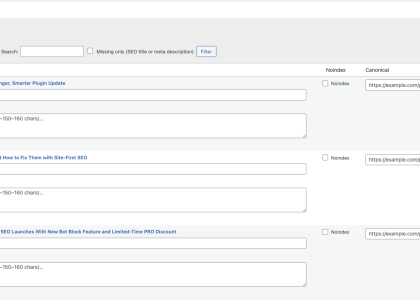
Your title tag is often the first impression a potential visitor sees. The Titles & Meta module allows you to quickly scan through all your pages and posts to check if titles are too short, too long, or missing entirely.
Action Tip:
- Keep titles between 50–60 characters.
- Include the primary keyword naturally (e.g., “Affordable SEO Services for Small Businesses”).
- Add a secondary intent keyword if space allows (e.g., “Affordable SEO Services for Small Businesses | Los Angeles”).
This balance ensures titles are descriptive enough for users while still attractive to search engines.
2. Write Meta Descriptions That Drive Clicks
The meta description doesn’t directly affect ranking, but it influences click-through rates (CTR). A higher CTR can indirectly boost your page visibility over time.
The module highlights missing or duplicate meta descriptions, so you can quickly update them.
Action Tip:
- Write 140–160 characters.
- Use active, benefit-driven language: “Get faster page loads and higher rankings with our lightweight WordPress SEO plugin.”
- Add a call-to-action (CTA): “Learn more today.”
- Include GEO terms where relevant: “Serving clients in San Diego and Riverside County.”
3. Avoid Duplicate Titles and Meta Across Pages
Duplicate titles or meta descriptions confuse search engines and dilute your ranking potential. The Titles & Meta Module flags duplicates, so you can consolidate and differentiate your messaging.
Action Tip:
If you run a service business with multiple locations:
- Instead of repeating “Plumbing Services – [Company Name]” across all location pages, differentiate with GEO cues:
- “Plumbing Services in Los Angeles – [Company Name]”
- “24-Hour Plumbing in Riverside County – [Company Name]”
This helps each page stand on its own and rank for location-specific queries.
4. GEO Optimization for Local SEO
Search penetration isn’t just about keywords; it’s about being visible where your customers are searching. Titles & Meta fields are a powerful way to include local modifiers.
Action Tip:
- Add city, county, or neighborhood names to your titles and descriptions.
- Highlight local trust factors in descriptions: “Trusted by businesses across Beverly Hills and Sherman Oaks.”
- For multi-location businesses, customize each page’s meta fields instead of using a generic template.
5. Use Titles & Meta to Test Messaging
Because the module gives you a bird’s-eye view of all titles and meta descriptions, you can experiment. Try adjusting phrasing and monitor performance in analytics tools.
Example Test:
- Version A: “Best Italian Restaurant in Los Angeles | Free Delivery”
- Version B: “Authentic Italian Restaurant – Los Angeles Pasta & Pizza Delivery”
The module makes it easy to see what you’ve tried and refine without losing track.
6. Combine Titles & Meta With Other Site-First SEO Modules
While Titles & Meta set the stage, pairing them with other free features amplifies results:
- Headings & Images Module: Ensure H1 tags and image alt text align with your title/keyword strategy.
- Links Overview: Confirm internal links are pointing toward your optimized pages, reinforcing the signals sent by your titles and meta.
Final Thoughts
The Titles & Meta Module in Site-First SEO Free isn’t just about filling out fields. It’s about strategically shaping how your site appears in search results and ensuring your content penetrates deeper into keyword spaces — especially GEO-targeted searches. By crafting intent-driven titles, persuasive meta descriptions, and localized messaging, you can gain an edge that many competitors miss.
Even without paid tools or API integrations, Site-First SEO gives you real control over your search appearance, helping you attract the right clicks and build stronger visibility over time.
Start for Free today;
fix your biggest SEO blockers in minutes.
Upgrade to PRO when you want
automation, schema, and reporting at scale.
Getting started
- Install Site-First SEO from the WordPress repository.
- Open SEO → Dashboard; run your first scan; fix the top issues.
- When you need deeper automation and reports, activate PRO with your license key.