If you’ve ever tried to run a proper SEO audit on a WordPress site, you know the pain: multiple plugins, half-baked reports, and far too much reliance on Google APIs. What if you could run a full audit—right from your own dashboard—without depending on outside data or complicated setup?
That’s exactly why I built Site-First SEO (Free).
This plugin focuses on what matters most: your site. It scans, reports, and gives you actionable insights entirely from on-site data, no API keys required. Lightweight, straightforward, and designed to replace the patchwork of other plugins, it makes auditing your SEO workflow simple.
Real-World Use Cases
Here’s how real site owners are putting Site-First SEO Free to work:
- Spotting Broken Links & 404s
One of the fastest ways to hurt your rankings is by leaving visitors (and search engines) stranded on dead pages. Site-First automatically logs 404s and helps you create redirects right inside WordPress. No guessing, no external crawler required. - Auditing Content Quality
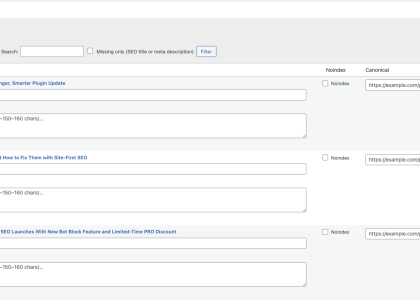
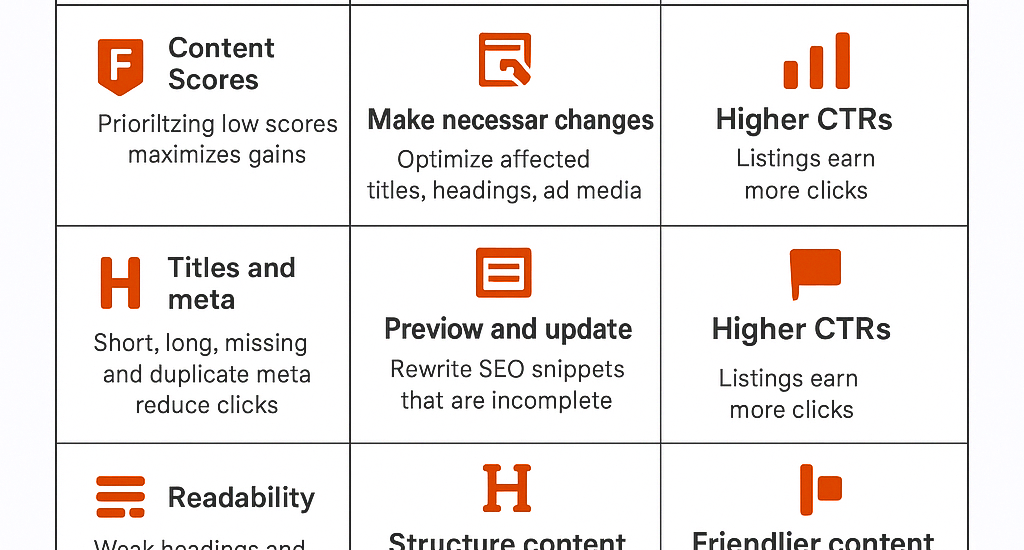
Got thin or duplicate content? The free audit flags pages with low word count, missing titles, or duplicate meta descriptions. Bloggers and business owners use this to prioritize which posts need refreshing. - Internal Link Health
Internal links are SEO gold. Site-First highlights orphaned pages (those with no incoming links) so you can make sure every piece of content has a path for Google to follow. - SERP Snippet Previews
Want to see how your page titles and meta descriptions look in Google’s results? Site-First gives you an instant preview right inside the editor. You’ll know if your title is too long or if your meta description is under-optimized—before hitting publish. - Crawl Readiness
Because the plugin audits site architecture, you can spot indexing issues, missing H1s, or bloated page structures that slow down crawl efficiency.
Tips & Tricks for Getting the Most Out of Site-First SEO (Free)
- Run Regular Audits
Don’t just audit once—set a reminder to scan your site monthly. Content changes fast, and SEO audits should keep up. - Use the 404 Monitor Like a Canary
Watch your 404 logs closely. Sudden spikes usually mean you’ve changed URLs, deleted old content, or have external sites linking to outdated pages. Quick fixes here save rankings later. - Tackle Orphaned Pages First
If Site-First flags pages with no inbound links, add them into your internal linking strategy. Even one contextual link from a high-value post can make the difference between an indexed page and one that’s invisible. - Leverage the SERP Snippet Preview Before Publishing
Use the snippet lab in your workflow as a final checkpoint. It’s easier to fix title length or keyword placement before you hit publish than after your post is live. - Export Reports for Accountability
Agencies and freelancers can export audit reports from the free plugin to show clients what’s happening on their site—and what’s been fixed.
Why This Matters
Most free SEO plugins either give you surface-level advice or push you toward premium upsells before you see any real value. Site-First SEO (Free) was built differently: it’s a practical, everyday toolkit that gives you meaningful data straight from your site, no strings attached.
It’s not about chasing Google’s latest update. It’s about making your site faster, more structured, and more user-friendly—the things that always matter.
Get Started Today
You don’t need another Google API key. You don’t need a half-dozen plugins. You just need one clean, lightweight tool that does the job.
Start for Free today;
fix your biggest SEO blockers in minutes.
Upgrade to PRO when you want
automation, schema, and reporting at scale.
Getting started
- Install Site-First SEO from the WordPress repository.
- Open SEO → Dashboard; run your first scan; fix the top issues.
- When you need deeper automation and reports, activate PRO with your license key.