Site-First SEO has kept moving since the last website update on July 25, 2026. The free plugin is now at version 1.1.11, and Site-First SEO PRO is at version 1.1.7-pro with the same 1.1.11 free baseline included.
FREE is not a stripped-down teaser. It is a complete on-site SEO toolkit for WordPress site owners who want clean metadata, better crawl controls, local schema, AI-readiness checks, redirects, lightweight visit tracking, and bot protection without connecting a pile of outside services.
PRO builds on that foundation for people who manage SEO work regularly. It adds the operator layer: priority views, smarter redirect recovery, bulk snippet cleanup, reporting exports, and licensing.
What changed recently
The biggest recent change is that Site-First SEO now treats AI-search readiness as part of the normal on-site SEO workflow.
The AI Readiness module checks the signals your site can actually control: indexability, content structure, answer-friendly formatting, internal links, schema, freshness, sitemaps, robots.txt, and llms.txt support. It does not scrape search results or require Google Search Console. The goal is to help your pages become easier for search engines, AI assistants, and retrieval tools to understand.
Site-First SEO also added llms.txt support. When enabled, the plugin can serve a simple Markdown overview at /llms.txt, including a short site summary and links to important public content. The plugin settings note that Google Search ignores llms.txt for ranking, but it is still useful as a curated map for assistants, developer tools, and retrieval systems that choose to read it.
Local SEO Schema also received a major upgrade. The schema workflow now supports richer organization and LocalBusiness details, principal or founder information, service entities, software/tool entities, entity page mapping, Article schema, FAQ schema, breadcrumbs, and ProfilePage schema. The newest update adds Profile Page as a selectable page-level schema mode and connects a configured principal/founder Person entity to the matching ProfilePage output.
The Author Box module is now more flexible as well. Site owners can define site-wide author box defaults, create up to three saved author profiles, and choose the right profile per post. Existing per-post author content is preserved as a fallback, so older content is not thrown away during the upgrade.
Bot Block has also become more practical. It now monitors common exploit probes, IP velocity, repeated paths, rotating user agents, suspicious request methods, and declared crawler behavior. It can verify major search crawler identities with reverse and forward DNS checks, allow known AI/GEO crawlers when you want them, export logs, apply retention controls, and simulate rules before changing live blocking behavior.
On the dashboard side, Site-First SEO now gives a clearer health snapshot with charts for SEO title coverage, meta description coverage, indexability, and image alt text coverage. The admin layout has also been tightened so it behaves better on narrower WordPress screens.
Getting the settings dialed in
After updating, start with Site-First SEO > Settings.
Keep the core modules enabled unless you have a specific reason to turn one off. For most sites, that means leaving Titles & Meta, Headings & Images, Links Overview, AI Readiness, Indexation Monitor, Content Decay, Internal Link Manager, Local SEO Schema, Sitemaps, Robots.txt, llms.txt, Redirects & 404s, Snippet Lab, UTM Builder, Bot Block, and Author Box available.
Enable visit tracking if you want lightweight, local traffic visibility inside WordPress. This is especially helpful if you want to separate human visits from crawler activity without sending the work to an external analytics platform.
Enable 404 logging if you want Site-First SEO to capture broken URL requests and help you recover missed traffic. This setting is especially important if you plan to use Redirect Intelligence in PRO, because PRO needs 404 history to prioritize the recovery queue.
Leave WordPress core sitemaps enabled for most sites, then choose the public post types that should appear in the sitemap. Include normal pages and posts. Include custom post types when they represent public, indexable content. Exclude thin, private, utility, or internal-only content types.
Set up Local SEO Schema carefully. Add the organization or LocalBusiness name, address, phone, service areas, Google Business Profile URL, opening hours, sameAs profiles, and principal/founder information where relevant. Then map entity pages to the real public pages visitors can read: About, services, industries, locations, team, and key resource pages. Schema works best when it reinforces content that actually exists on the site.
Turn on llms.txt, then write a short summary in plain language. Keep it useful, not promotional. Add optional notes only when they help an assistant understand the site, such as the best starting pages, service area, audience, or content policies. A max links value around 25 is a good starting point for small and midsize sites.
For Bot Block, start in Monitor Only mode. Keep common exploit protection enabled, allow verified search crawlers, and allow AI/GEO bots if you want systems such as GPTBot, PerplexityBot, ClaudeBot, and similar crawlers to access your public content. Keep uptime and performance checkers allowed if you use monitoring tools. Use 30 days of log retention as the default, then shorten to 7 days on smaller sites or extend to 90 days when you need a longer audit window.
Only move Bot Block into Soft Block or Hard Block after reviewing logs and running the rule simulator. Soft Block is usually the first step when suspicious behavior is clear but you still want a gentler response. Hard Block is best reserved for obvious abuse, exploit probes, or traffic you are confident should not reach the site.
If you use Author Box, set the default profile and decide whether author boxes should show on posts by default. For multi-author sites, fill out the saved profiles first, then assign the right profile on individual posts.
What FREE gives you
The free version is built for site owners who want the essential on-site SEO work in one place.
You can manage titles, meta descriptions, canonicals, noindex settings, schema modes, redirects, sitemaps, robots.txt, llms.txt, image alt issues, heading structure, internal links, content health, content decay, AI readiness, UTM URLs, visits, and suspicious bot activity without bouncing between several plugins.
That makes FREE a strong fit for personal sites, local businesses, small service websites, and lean WordPress builds where the main need is visibility, control, and cleanup.
Why PRO is different
PRO is about speed and prioritization.
The PRO Priority Center pulls high-impact work into one dashboard module. Instead of checking redirects, snippets, and AI-readiness signals separately, you get a cleaner view of what deserves attention first.
Redirect Intelligence is the big upgrade for sites with old URLs, migrations, deleted pages, renamed services, or recurring 404s. It groups missing URLs, scores risk based on hits, internal links, valuable referrers, and crawler activity, suggests likely destination pages, and lets you create redirects from the recovery workflow. It can also export recovery data as CSV for review or client reporting.
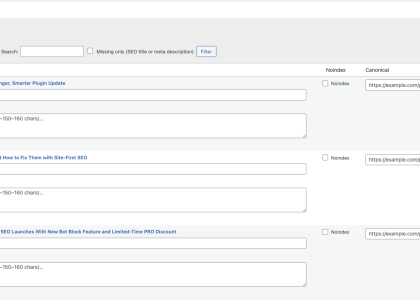
Bulk Meta Optimizer is built for cleaning up snippets at scale. It identifies missing, short, long, duplicate, weak, and locked meta descriptions. It shows current and suggested snippets in a SERP-style preview, lets you apply selected descriptions in a controlled batch, and lets you lock approved snippets so they are skipped during future passes.
PRO also keeps the free baseline aligned, so you do not have to choose between the newest core features and the paid workflow tools. Site-First SEO PRO includes the same modern module set plus the extra operating layer for consultants, agencies, and site owners who need to move faster.
Recommended setup by site type
For a small local business site, enable the main modules, configure Local SEO Schema completely, turn on llms.txt, keep Bot Block in Monitor Only, enable 404 logging, and review AI Readiness on the homepage, service pages, location pages, and top blog posts.
For a content-heavy site, pay extra attention to Titles & Meta, Content Decay, Internal Link Manager, AI Readiness, Author Box, and llms.txt. Use sitemap post type controls to keep only valuable public content in the sitemap.
For a site that recently migrated or changed URLs, enable 404 logging immediately. In FREE, review Redirects & 404s regularly. In PRO, use Redirect Intelligence to sort the recovery queue by impact instead of guessing which broken URLs matter.
For agencies and consultants, PRO is the better fit because the workflow is easier to repeat across client sites. The Priority Center, Redirect Intelligence CSV exports, Bulk Meta Optimizer, snippet locks, and license management make Site-First SEO easier to use as part of a professional maintenance process.
The “which one and why” question
Site-First SEO FREE gives WordPress site owners a strong, privacy-first SEO workbench with modern AI-readiness and local/entity SEO tools built in.
Site-First SEO PRO is for the moment when the question changes from “What should I fix?” to “What should I fix first, and how quickly can I get through it?”
If you only need solid on-site control, start with FREE. If you manage SEO work often, handle client sites, clean up old URLs, or want a faster metadata workflow, PRO is the better tool for the job.
Start with Site-First SEO Free today;
fix your biggest SEO blockers in minutes.
Upgrade to PRO when you want
automation, schema, and reporting at scale.
Getting started
- Install First‑Site SEO from the WordPress repository.
- Open SEO → Dashboard; run your first scan; fix the top issues.
- When you need deeper automation and reports, activate PRO with your license key.